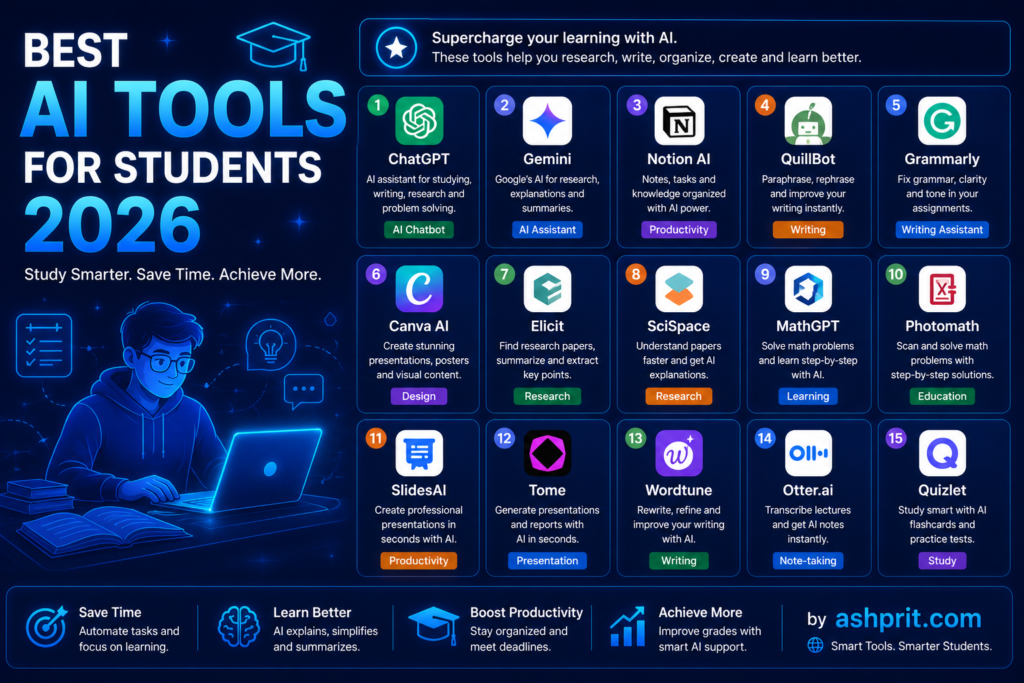
Best AI Tools for Students 2026 are changing the way students study, write assignments, conduct research, prepare presentations, and improve productivity. In this complete guide, you’ll discover the best free and paid AI tools for every type of student.
Introduction
Best AI Tools for Students 2026
Artificial Intelligence (AI) is no longer just a technology for software engineers or researchers. In 2026, AI has become an essential part of education. Whether you are a school student, a college student, an engineering graduate, a medical aspirant, or preparing for competitive exams, AI can help you study faster, understand difficult concepts, improve writing, create presentations, solve coding problems, organize notes, and save hours every week.
The biggest challenge for students today is not the lack of information—it is information overload. Thousands of websites, videos, PDFs, and online courses are available, making it difficult to know where to start. This is exactly where the Best AI Tools for Students 2026 make a difference. Instead of spending hours searching for answers, students can use AI to receive explanations, summaries, personalized study plans, flashcards, and even mock interview practice within minutes.
However, not every AI tool is worth using. Some tools are expensive, some provide inaccurate information, and others are designed for businesses rather than students. Choosing the right AI tool can improve productivity, while choosing the wrong one can waste both time and money.
In this comprehensive guide, we have carefully selected the 25 Best AI Tools for Students in 2026 based on usability, accuracy, affordability, learning capabilities, productivity features, privacy, and overall student experience. We have personally evaluated these tools and categorized them according to different student needs such as writing, research, coding, note-taking, presentations, language learning, mathematics, and exam preparation.
Whether you need a completely free AI tool or a premium solution with advanced features, this guide will help you choose the right option.
By the end of this article, you will know:
- Which AI tools are completely free.
- Which premium AI tools are worth paying for.
- Which AI tools are best for assignments.
- Which AI tools help students save the most time.
- Which AI assistants are ideal for coding.
- Which AI apps improve productivity.
- Which AI tools should every student install in 2026.
Let’s explore the Best AI Tools for Students 2026 and find out which ones deserve a place in your daily study routine.
Quick Comparison Table
| Tool | Free Version | Best For | Rating |
|---|---|---|---|
| ChatGPT | ✅ | Writing, Research | ⭐⭐⭐⭐⭐ |
| Google Gemini | ✅ | Google Workspace | ⭐⭐⭐⭐⭐ |
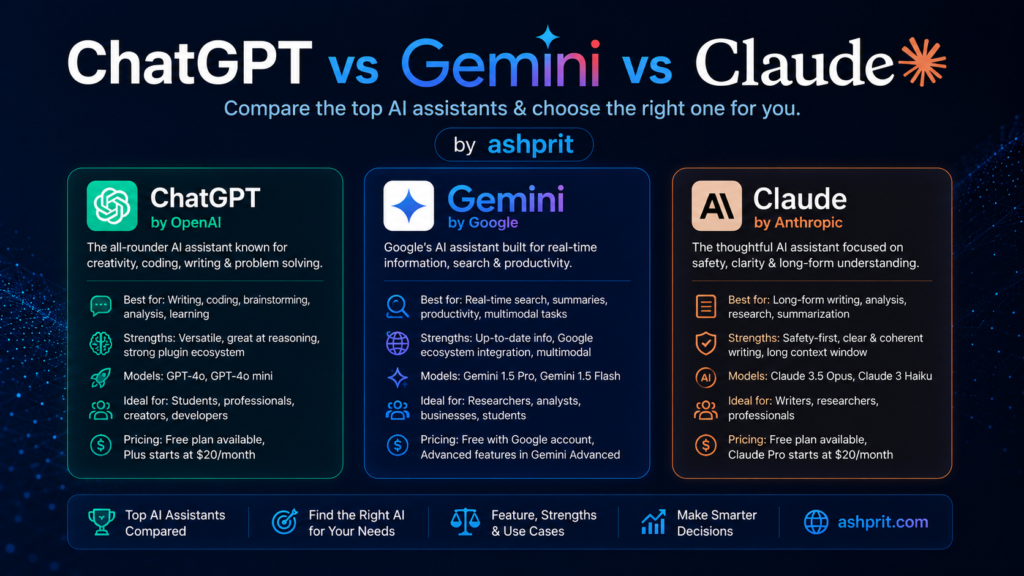
| Claude | ✅ | Long-form Writing | ⭐⭐⭐⭐⭐ |
| Notion AI | Limited | Notes | ⭐⭐⭐⭐☆ |
| Grammarly | ✅ | Grammar | ⭐⭐⭐⭐⭐ |
| Canva AI | ✅ | Presentations | ⭐⭐⭐⭐☆ |
| Perplexity AI | ✅ | Research | ⭐⭐⭐⭐⭐ |
| GitHub Copilot | Student Free | Coding | ⭐⭐⭐⭐⭐ |
How We Selected These AI Tools
Before recommending any AI tool, we evaluated each one using the following criteria:
- Accuracy of responses
- Student-friendly interface
- Free plan availability
- Pricing
- Speed
- Privacy and security
- Mobile support
- Productivity improvements
- Learning capabilities
- Community popularity
This ensures that every recommendation in this Best AI Tools for Students 2026 guide is practical and useful rather than simply following trends.
1. ChatGPT
What is ChatGPT?
ChatGPT, developed by OpenAI, is one of the most versatile AI assistants available today. It helps students write essays, summarize textbooks, explain difficult concepts, generate ideas, solve coding problems, create study schedules, and practice interviews.
Best Features
- Essay writing
- Homework assistance
- Coding help
- Research summaries
- Language translation
- Study planning
- Resume building
Pros
- Extremely easy to use
- Excellent explanations
- Supports multiple languages
- Large knowledge base
- Great for brainstorming
Cons
- Advanced models require a paid subscription
- Students should verify factual information for academic work
Best For
High school students, college students, researchers, and competitive exam aspirants.
2. Google Gemini
Google Gemini integrates deeply with Google Search, Gmail, Docs, Drive, and other Google services, making it an excellent productivity assistant for students.
Best Features
- Google Workspace integration
- PDF analysis
- Research assistance
- Image understanding
- Fast web-based answers
Best For
Students already using Google Docs and Google Classroom.
3. Claude
Claude by Anthropic is particularly strong in handling long documents, academic writing, and detailed explanations.
Best Features
- Long-context conversations
- Academic writing
- Research summaries
- PDF analysis
- Logical reasoning
Pros
- Excellent writing quality
- Clear explanations
- Easy to understand
Cons
- Some advanced features are subscription-based.
Best For
University students and researchers.
4. Perplexity AI
Perplexity AI combines conversational AI with real-time web search, making it one of the best research assistants available.
Best Features
- Real-time citations
- Research support
- Source verification
- Fast answers
- Academic references
Best For
Students preparing research papers and presentations.
5. Grammarly
Grammarly helps students improve grammar, spelling, punctuation, clarity, and writing style.
Best Features
- Grammar correction
- Tone suggestions
- Plagiarism checker (Premium)
- Writing improvement
- Vocabulary enhancement
Best For
Essay writing and assignments.
6. Canva AI
Creating attractive presentations has never been easier. Canva AI helps students generate presentations, posters, infographics, resumes, and social media graphics.
Best Features
- Magic Design
- AI Image Generation
- Presentation Templates
- Background Remover
- Magic Write
Best For
Presentation and project work.
7. Notion AI
Students often struggle to organize notes. Notion AI automatically summarizes lectures, creates to-do lists, and organizes study materials.
Best Features
- Smart notes
- Task management
- AI summaries
- Project organization
- Study planner
Best For
Daily study organization.
8. GitHub Copilot
Programming students can dramatically improve productivity using GitHub Copilot.
Best Features
- Code completion
- Bug fixing
- Code explanation
- Documentation generation
- Multi-language support
Best Programming Languages
- Python
- Java
- JavaScript
- C++
- C#
- PHP
- Go
- TypeScript
Best For
Computer Science students, software developers, and coding beginners.
9. Microsoft Copilot
What is Microsoft Copilot?
Microsoft Copilot is an AI assistant deeply integrated with Microsoft 365 applications such as Word, Excel, PowerPoint, Outlook, and Teams. Students who regularly create assignments, presentations, spreadsheets, or reports can save significant time using Copilot. It can summarize documents, draft emails, generate PowerPoint slides, analyze Excel data, and answer academic questions using Microsoft’s AI capabilities.
For students using Windows laptops, Microsoft Copilot is one of the Best AI Tools for Students 2026 because it works seamlessly within the operating system and Microsoft Office ecosystem.
Best Features
- AI-powered Microsoft Word writing assistance
- PowerPoint presentation generation
- Excel formula and data analysis
- Email drafting in Outlook
- Windows AI assistant
- Voice interaction
- Web search integration
Pros
- Excellent Office integration
- Time-saving automation
- Beginner-friendly interface
- Useful for project work
- Secure Microsoft ecosystem
Cons
- Premium features require Microsoft 365 subscription.
- Works best inside Microsoft applications.
Pricing
- Free version available
- Microsoft 365 subscription unlocks advanced features.
Best For
Students who frequently use Word, Excel, and PowerPoint.
10. Gamma AI
What is Gamma AI?
Gamma AI is an AI-powered presentation builder that automatically creates professional slides from a simple prompt. Instead of spending hours designing PowerPoint presentations, students can generate attractive presentations within minutes.
Best Features
- AI Presentation Builder
- Beautiful templates
- Interactive layouts
- One-click redesign
- Image generation
- Online sharing
Pros
- Extremely fast
- No design skills required
- Professional output
- Excellent for seminars
Cons
- Limited free credits
- Internet connection required
Pricing
Free plan available with premium upgrades.
Best For
College presentations and project submissions.
11. QuillBot
What is QuillBot?
QuillBot is one of the most popular AI writing assistants among students. It helps paraphrase sentences, improve grammar, summarize long articles, and generate citations.
Students writing assignments or research papers often use QuillBot to improve readability while maintaining the original meaning.
Best Features
- Paraphrasing
- Grammar checker
- AI Summarizer
- Citation Generator
- Translator
- Plagiarism Checker (Premium)
Pros
- Improves writing quality
- Easy to use
- Multiple writing modes
- Supports academic writing
Cons
- Premium version required for unlimited usage.
Pricing
Free + Premium
Best For
Essay writing and academic assignments.
12. Elicit AI
What is Elicit AI?
Elicit AI is designed specifically for academic research. It searches research papers, summarizes findings, compares studies, and extracts important information from scientific literature.
Unlike traditional search engines, Elicit focuses on scholarly research, making it one of the Best AI Tools for Students 2026 involved in higher education.
Best Features
- Research paper search
- AI summaries
- Evidence extraction
- Literature review
- Citation assistance
Pros
- Excellent for university students
- Research-focused
- Saves hours of manual reading
Cons
- Less useful for school students.
Pricing
Free with premium options.
Best For
Research scholars and postgraduate students.
13. Otter.ai
What is Otter.ai?
Otter.ai automatically records lectures, meetings, and discussions while generating searchable transcripts in real time.
Students no longer need to write every word during lectures. Instead, they can focus on understanding concepts while Otter creates organized notes.
Best Features
- Live transcription
- Voice recording
- AI summaries
- Speaker identification
- Searchable notes
Pros
- Saves note-taking time
- Accurate speech recognition
- Easy to organize lectures
Cons
- Best performance in English
- Premium plan has higher transcription limits
Pricing
Free plan available
Best For
Lecture note-taking.
14. Speechify
What is Speechify?
Speechify converts textbooks, PDFs, articles, and documents into natural-sounding audio. Students can listen to study materials while traveling, exercising, or relaxing.
It is especially useful for visual learners and students with reading difficulties.
Best Features
- Text-to-speech
- PDF reading
- Adjustable speed
- Natural voices
- Mobile support
Pros
- Increases productivity
- Supports multitasking
- Improves accessibility
Cons
- Premium voices require subscription.
Pricing
Free + Premium
Best For
Reading textbooks faster.
15. Wolfram Alpha
What is Wolfram Alpha?
Wolfram Alpha is much more than a calculator. It solves mathematics, physics, chemistry, engineering, statistics, and economics problems while explaining every step.
Students preparing for engineering entrance exams or university mathematics find it extremely useful.
Best Features
- Step-by-step solutions
- Mathematics
- Physics
- Chemistry
- Statistics
- Graph plotting
Pros
- Highly accurate
- Excellent explanations
- Powerful computational engine
Cons
- Interface can feel technical for beginners.
Pricing
Free version available
Best For
Engineering and science students.
16. Khanmigo
What is Khanmigo?
Khanmigo is Khan Academy’s AI-powered tutor. Instead of simply giving answers, it guides students toward finding solutions themselves, making learning more interactive.
Best Features
- Personalized tutoring
- Homework guidance
- Coding assistance
- Mathematics explanations
- Practice questions
Pros
- Educational approach
- Safe for students
- Interactive learning
Cons
- Limited regional availability.
Pricing
Subscription-based with selected free access.
Best For
School students.
17. NotebookLM
What is NotebookLM?
NotebookLM, developed by Google, allows students to upload PDFs, lecture notes, Google Docs, and research material. It then answers questions based only on those uploaded sources, reducing the chances of hallucinated answers.
For students working with large amounts of study material, NotebookLM is one of the Best AI Tools for Students 2026.
Best Features
- Upload PDFs
- Smart summaries
- Question answering
- Research assistant
- Source-grounded responses
- Google integration
Pros
- Highly reliable for studying
- Excellent document understanding
- Saves research time
Cons
- Requires Google account
- Some features depend on supported regions
Pricing
Free with evolving premium features.
Best For
Research, revision, and exam preparation.
Quick Mid-Article Summary
If you’re looking for the Best AI Tools for Students 2026, here’s a quick shortlist based on different needs:
| Need | Recommended AI Tool |
|---|---|
| Essay Writing | ChatGPT, Claude |
| Grammar | Grammarly, QuillBot |
| Research Papers | Perplexity AI, Elicit AI |
| Presentations | Canva AI, Gamma AI |
| Coding | GitHub Copilot |
| Lecture Notes | Otter.ai, NotebookLM |
| Mathematics | Wolfram Alpha |
| Microsoft Office | Microsoft Copilot |
| Study Planning | Notion AI |
| Reading PDFs | Speechify |
18. ElevenLabs
What is ElevenLabs?
ElevenLabs is one of the world’s best AI voice generation platforms. Students can convert notes into realistic audio, create presentations with AI narration, improve pronunciation, and even build voice-based learning material.
Best Features
- AI Voice Generation
- Text-to-Speech
- Multiple Languages
- Voice Cloning
- Natural Human Voices
- Podcast Creation
Pros
- High-quality voice output
- Excellent pronunciation
- Easy to use
- Supports multiple languages
Cons
- Premium plans required for higher usage
- Voice cloning has ethical considerations
Pricing
Free plan available with premium upgrades.
Best For
Language learning, presentations, and audio study materials.
19. Canva Magic Studio
What is Canva Magic Studio?
Canva Magic Studio extends Canva with advanced AI features like Magic Design, Magic Media, AI Image Generator, AI Background Remover, and Magic Write.
Students can create professional assignments, posters, certificates, resumes, infographics, YouTube thumbnails, and social media graphics.
Best Features
- AI Image Generator
- Magic Design
- AI Presentation Creator
- Resume Templates
- Poster Design
- Video Editing
Pros
- Beginner friendly
- Huge template library
- Fast workflow
Cons
- Premium templates require Canva Pro.
Best For
Creative projects and presentations.
20. DeepL Translator
What is DeepL?
DeepL is considered one of the most accurate AI translation tools available today.
Students learning foreign languages or reading international research papers can translate documents while preserving context and meaning.
Best Features
- Accurate Translation
- Document Translation
- Grammar Suggestions
- Multiple Languages
- AI Writing Assistant
Pros
- Better quality than many traditional translators
- Fast and accurate
- Professional output
Cons
- Limited free document translations.
Best For
International students and language learners.
21. Miro AI
What is Miro AI?
Miro AI helps students brainstorm ideas, create mind maps, organize projects, and collaborate with classmates.
Best Features
- AI Mind Maps
- Flowcharts
- Whiteboard
- Team Collaboration
- Brainstorming
Pros
- Excellent collaboration
- Visual learning
- Easy sharing
Cons
- Premium workspace limitations.
Best For
Group projects.
22. ClickUp AI
What is ClickUp AI?
ClickUp AI helps students manage assignments, deadlines, projects, and study schedules in one place.
Best Features
- AI Task Management
- Study Planner
- Calendar
- Goal Tracking
- Note Taking
Pros
- Organized workflow
- Productivity boost
- Great reminders
Cons
- Learning curve for beginners.
Best For
Productivity and semester planning.
23. Zapier AI
What is Zapier AI?
Zapier AI automates repetitive digital tasks without coding.
Students can automatically save email attachments, organize notes, send reminders, sync Google Drive files, and automate study workflows.
Best Features
- Workflow Automation
- App Integration
- AI Builder
- Google Workspace Support
- Gmail Automation
Pros
- Saves time
- Hundreds of integrations
- No coding required
Cons
- Premium plans unlock advanced automation.
Best For
Automation enthusiasts.
24. Descript
What is Descript?
Descript is an AI-powered audio and video editor.
Students creating YouTube videos, online courses, podcasts, or educational presentations can edit content simply by editing text.
Best Features
- Video Editing
- Audio Editing
- AI Voice
- Screen Recording
- Subtitle Generation
Pros
- Extremely beginner friendly
- Fast editing
- AI-powered workflow
Cons
- Free version has limitations.
Best For
Content creators and media students.
25. Adobe Firefly
What is Adobe Firefly?
Adobe Firefly is Adobe’s generative AI platform that helps students create AI-generated images, text effects, creative artwork, and visual assets.
Best Features
- AI Image Generation
- Text Effects
- Graphic Design
- Photoshop Integration
- Illustrator Integration
Pros
- Professional quality
- Safe commercial usage
- Excellent image generation
Cons
- Adobe subscription unlocks more features.
Best For
Design students.
Free vs Paid AI Tools for Students
| Category | Best Free | Best Paid |
|---|---|---|
| AI Assistant | ChatGPT | ChatGPT Plus |
| Research | Perplexity AI | Elicit AI |
| Writing | Grammarly | Grammarly Premium |
| Presentations | Canva AI | Canva Pro |
| Coding | GitHub Copilot (Students) | GitHub Copilot Pro |
| Notes | NotebookLM | Notion AI |
| Design | Canva | Adobe Firefly |
| Translation | DeepL | DeepL Pro |
Which AI Tool Should You Choose?
School Students
- ChatGPT
- Gemini
- Grammarly
- Khanmigo
- Canva AI
College Students
- Claude
- NotebookLM
- Perplexity AI
- Notion AI
- Gamma AI
Engineering Students
- GitHub Copilot
- Wolfram Alpha
- ChatGPT
- NotebookLM
- Microsoft Copilot
Medical Students
- Perplexity AI
- NotebookLM
- ChatGPT
- Elicit AI
- Grammarly
MBA & Business Students
- Microsoft Copilot
- Gamma AI
- Canva AI
- ClickUp AI
- ChatGPT
Common Mistakes Students Make While Using AI
Many students unknowingly misuse AI tools. Avoid these mistakes:
- Copying AI-generated text without reviewing it.
- Submitting assignments without fact-checking.
- Ignoring citations and references.
- Depending on only one AI tool.
- Sharing sensitive personal information.
- Using AI for cheating instead of learning.
- Forgetting to edit AI-generated content in your own style.
The Best AI Tools for Students 2026 should be used to enhance learning—not replace critical thinking.
Frequently Asked Questions (FAQ)
Which is the best free AI tool for students?
ChatGPT, Google Gemini, NotebookLM, Grammarly, Canva AI, and Perplexity AI are among the best free options available in 2026.
Which AI tool is best for homework?
ChatGPT and Claude are excellent for understanding concepts and solving homework step by step. Always verify answers with your textbooks or teachers.
Which AI tool is best for research papers?
Perplexity AI, Elicit AI, Claude, and NotebookLM are strong choices because they help summarize sources and support research workflows.
Which AI tool is best for coding students?
GitHub Copilot is the leading choice, followed by ChatGPT and Microsoft Copilot.
Can AI replace teachers?
No. AI is a learning assistant, not a replacement for teachers. It provides explanations and practice, while teachers offer guidance, feedback, and deeper understanding.
Are AI tools safe for students?
Most well-known AI tools are safe when used responsibly. Read privacy policies, avoid uploading confidential information, and use AI ethically.
Final Verdict
Artificial Intelligence is changing education faster than ever. Students who learn how to use AI effectively will save time, improve productivity, understand concepts more deeply, and focus on higher-value learning.
There is no single “best” AI tool for everyone. The right choice depends on your goals:
- Need help writing assignments? Choose ChatGPT or Claude.
- Creating presentations? Canva AI and Gamma AI are excellent.
- Conducting academic research? Perplexity AI, NotebookLM, and Elicit AI stand out.
- Learning programming? GitHub Copilot is hard to beat.
- Improving productivity? Notion AI and ClickUp AI are great companions.
If you’re just getting started, begin with a small toolkit:
- ChatGPT
- Google Gemini
- NotebookLM
- Canva AI
- Grammarly
As your needs grow, you can explore more specialized tools from this guide.
Ultimately, the Best AI Tools for Students 2026 are the ones that help you learn more effectively, save time, and develop skills that remain valuable beyond the classroom. Use AI to support your education, verify important information, and combine technology with your own creativity and critical thinking.
Conclusion
We hope this guide to the Best AI Tools for Students 2026 helped you discover the right tools for studying, writing, coding, research, presentations, note-taking, and productivity.
As AI continues to evolve, new tools will emerge and existing platforms will improve. Bookmark this page and check back regularly—we’ll keep this guide updated with the latest AI tools and recommendations throughout 2026.
If you found this article useful, explore our related guides:
- Top 25 AI Tools You Should Use in 2026
- What Are AI Agents?
- ChatGPT vs Gemini vs Claude
- What Is AEO?
- What Is GEO?
- AEO vs GEO vs SEO
These resources will help you build a deeper understanding of AI, improve your productivity, and stay ahead in the rapidly changing world of technology.