Quick Answer
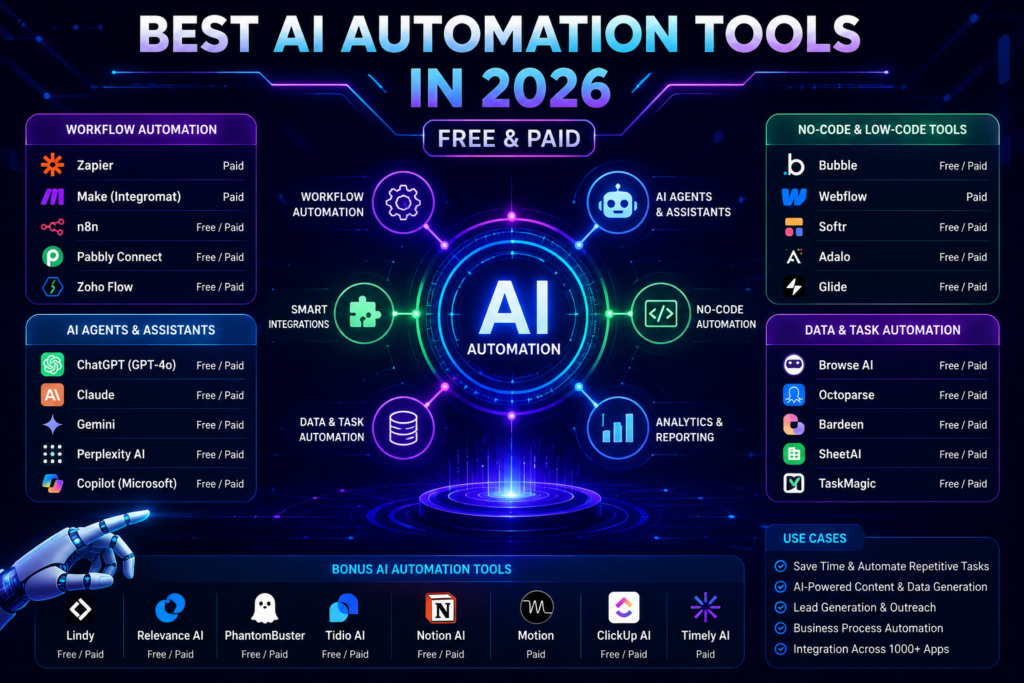
The Best AI Automation Tools 2026 include n8n, Make, Zapier, Microsoft Power Automate, Gumloop, Lindy, Flowise, Langflow, AutoGen, CrewAI, Claude Projects, and ChatGPT Tasks.
These platforms help automate repetitive work, connect applications, build AI agents, streamline business processes, and improve productivity without requiring extensive programming knowledge.
Whether you’re a student, freelancer, marketer, developer, or enterprise user, there is an AI automation platform suited to your workflow and budget.
If you’re exploring the broader AI ecosystem, start with our Top 25 AI Tools You Should Use in 2026 guide.
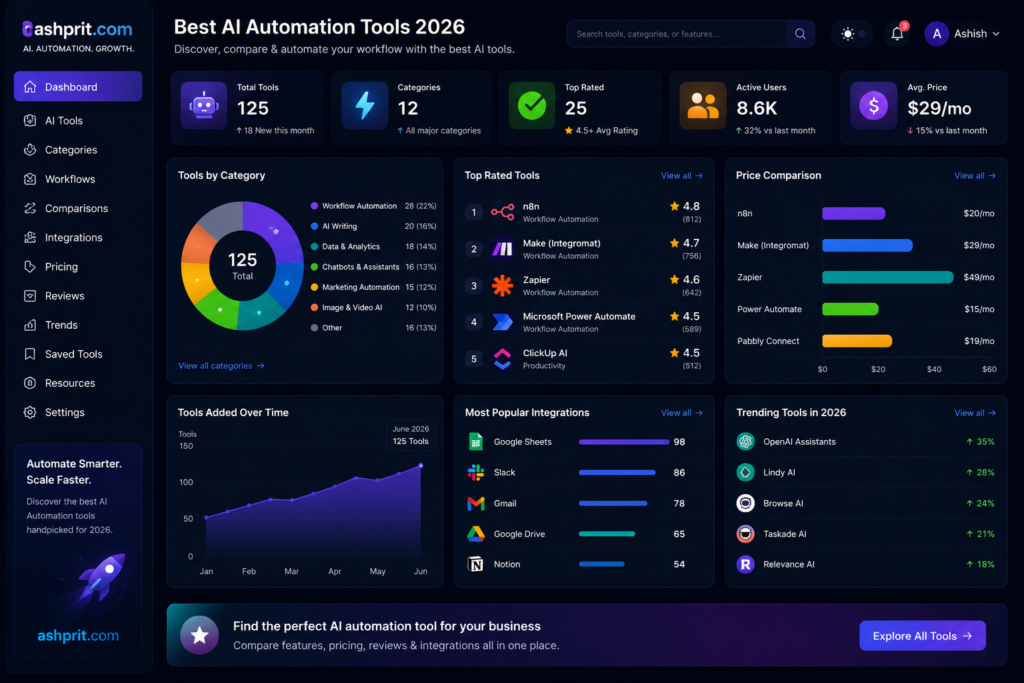
Table of Contents
Why AI Automation Matters in 2026
Artificial intelligence is no longer limited to generating text or images. Modern AI automation platforms can perform multi-step workflows, analyze data, communicate with applications, trigger actions, and even collaborate with other AI agents.
Businesses are increasingly adopting automation to reduce repetitive work, minimize manual errors, improve response times, and allow employees to focus on higher-value tasks.
Some common use cases include:
- Lead generation
- Email automation
- CRM updates
- Social media scheduling
- Customer support
- Invoice processing
- Report generation
- Content publishing
- AI research
- Internal knowledge assistants
Instead of switching between dozens of applications, automation platforms connect everything into a single workflow.
How We Evaluated These AI Automation Tools
To make this guide genuinely useful, we evaluated every platform using practical business scenarios instead of marketing claims.
Evaluation Criteria
- Ease of use
- AI capabilities
- Workflow flexibility
- Integrations
- No-code support
- Enterprise readiness
- Pricing
- Community support
- Documentation
- Scalability
Quick Comparison Table
| Tool | Best For | No-Code | AI Agents | Free Plan | Rating |
|---|---|---|---|---|---|
| n8n | Developers | ⭐⭐⭐⭐☆ | ⭐⭐⭐⭐⭐ | Yes | ⭐⭐⭐⭐⭐ |
| Make | Visual Automation | ⭐⭐⭐⭐⭐ | ⭐⭐⭐⭐☆ | Yes | ⭐⭐⭐⭐⭐ |
| Zapier | Business Automation | ⭐⭐⭐⭐⭐ | ⭐⭐⭐⭐☆ | Yes | ⭐⭐⭐⭐☆ |
| Microsoft Power Automate | Enterprise | ⭐⭐⭐⭐☆ | ⭐⭐⭐⭐☆ | Limited | ⭐⭐⭐⭐⭐ |
1. n8n
Overview
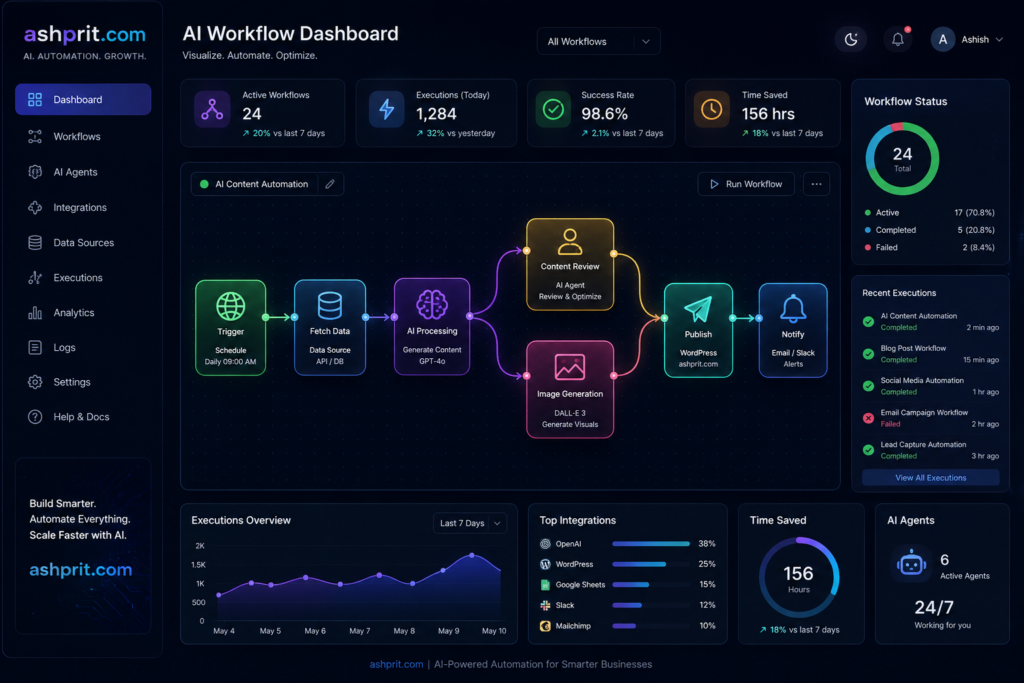
n8n is one of the fastest-growing workflow automation platforms, offering a powerful combination of no-code simplicity and developer-level flexibility. It enables users to build automated workflows connecting hundreds of applications, APIs, databases, and AI models.
Unlike many cloud-only automation tools, n8n supports self-hosting, making it attractive for organizations that require greater control over their data and infrastructure.
Among the Best AI Automation Tools 2026, n8n stands out for its flexibility, active community, and AI agent capabilities.
Why Choose n8n?
n8n is ideal if you need:
- AI-powered workflows
- API integrations
- Custom automation
- Self-hosting
- Enterprise automation
- Developer flexibility
Key Features
- Visual workflow builder
- AI Agent nodes
- Open-source option
- Self-hosting
- API integrations
- Database support
- Webhooks
- Scheduling
- Conditional logic
- JavaScript support
Real-World Use Cases
Businesses use n8n for:
- Automatically qualifying leads from forms
- Sending personalized follow-up emails
- Synchronizing CRM data
- Creating AI-powered customer support workflows
- Publishing blog articles
- Monitoring website uptime
- Processing invoices
- Generating weekly reports
Pros
- Open-source
- Highly customizable
- Large integration library
- Excellent AI workflow support
- Active developer community
Cons
- Slight learning curve for advanced workflows
- Self-hosting requires technical knowledge
Pricing
- Free (Self-hosted)
- Starter
- Pro
- Enterprise
Best For
- Developers
- Agencies
- Startups
- SaaS Companies
- Technical Teams
Overall Rating
| Category | Rating |
|---|---|
| Ease of Use | ⭐⭐⭐⭐☆ |
| Integrations | ⭐⭐⭐⭐⭐ |
| AI Features | ⭐⭐⭐⭐⭐ |
| Scalability | ⭐⭐⭐⭐⭐ |
| Value | ⭐⭐⭐⭐⭐ |
Learn how intelligent assistants power many automation workflows in our What Are AI Agents? guide.
2. Make
Overview
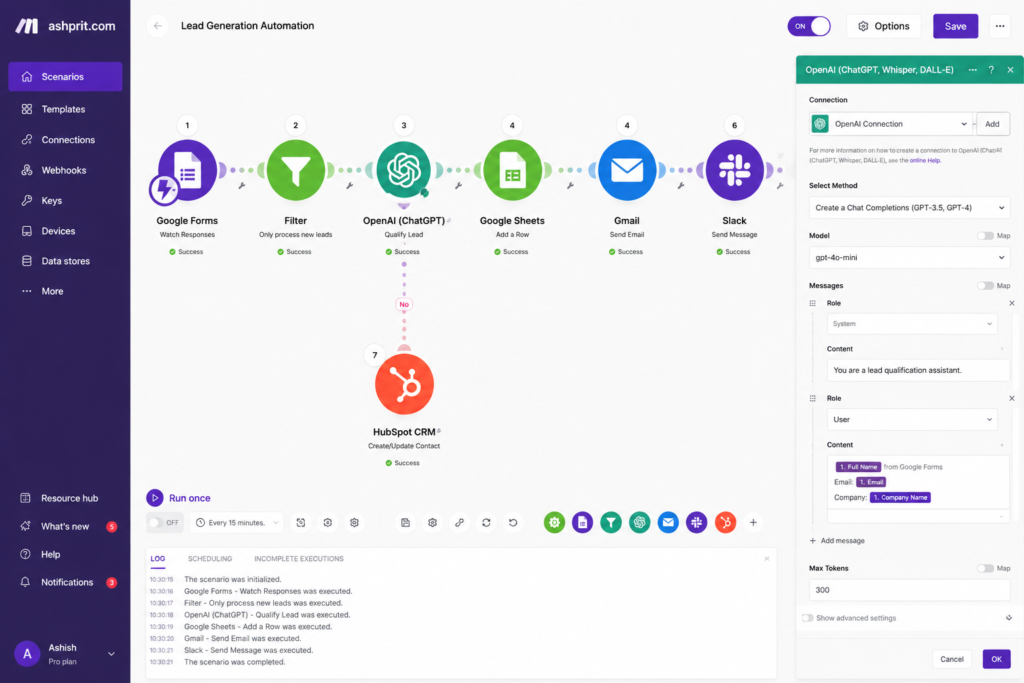
Make is one of the most intuitive visual automation platforms available today. It enables users to build complex workflows using a drag-and-drop interface without writing code.
The platform connects thousands of applications and supports advanced routing, conditional logic, scheduling, and AI integrations. Its visual workflow editor makes it easier to understand how data moves between connected apps.
For businesses looking for powerful automation with minimal technical effort, Make is among the Best AI Automation Tools 2026.
Key Features
- Visual workflow builder
- AI integrations
- Advanced routing
- Scheduling
- Webhooks
- Data transformation
- Error handling
- API connections
Pros
- Beautiful visual interface
- Strong integration ecosystem
- Powerful workflow logic
- Beginner friendly
Cons
- Advanced scenarios may become complex
- Usage limits on lower plans
Best For
- Marketing Teams
- Agencies
- Freelancers
- Small Businesses
Overall Rating
| Category | Rating |
|---|---|
| Ease of Use | ⭐⭐⭐⭐⭐ |
| Integrations | ⭐⭐⭐⭐⭐ |
| AI Features | ⭐⭐⭐⭐☆ |
| Scalability | ⭐⭐⭐⭐☆ |
| Value | ⭐⭐⭐⭐⭐ |
Want to compare today’s leading AI assistants? Read ChatGPT vs Gemini vs Claude.
3. Zapier
Overview
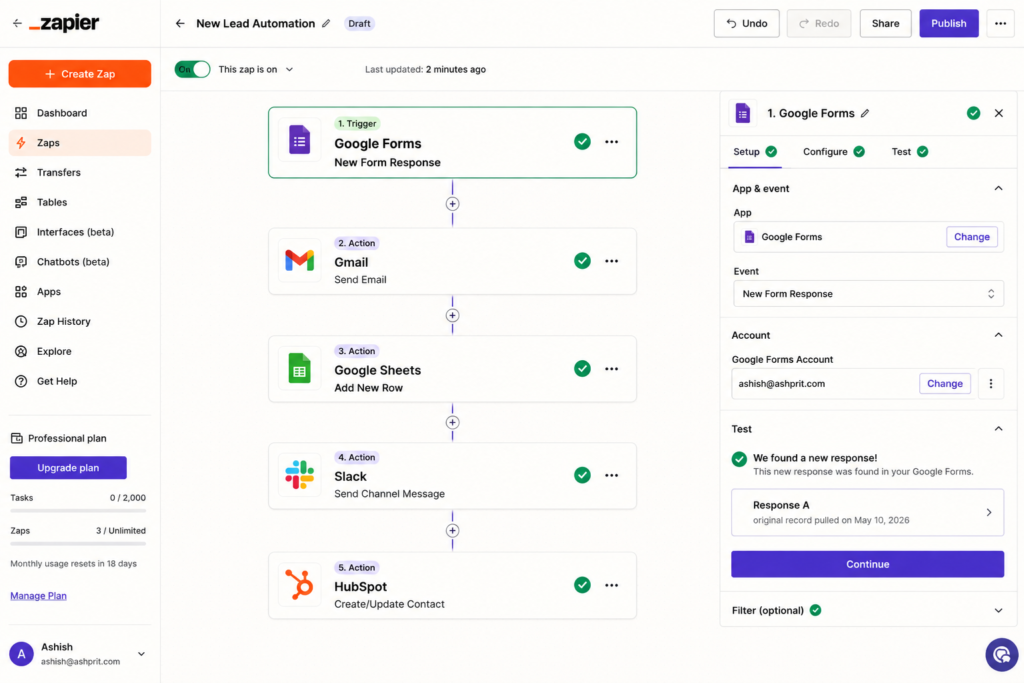
Zapier is one of the most recognized automation platforms and is widely used to connect cloud applications without coding. It supports thousands of integrations and allows users to automate repetitive business tasks through simple trigger-and-action workflows.
With recent AI enhancements, Zapier now supports AI-powered automation, natural language workflow creation, and intelligent task execution.
Its simplicity makes it a popular choice for small businesses, entrepreneurs, and marketing professionals.
Key Features
- Thousands of app integrations
- AI workflow builder
- Multi-step automations
- Filters
- Formatter tools
- Scheduling
- Webhooks
- Tables
Pros
- Extremely easy to use
- Huge app library
- Reliable cloud platform
- Strong documentation
Cons
- Premium plans can become expensive
- Limited flexibility compared to open-source tools
Best For
- Business Owners
- Sales Teams
- Marketing Professionals
- Beginners
4. Microsoft Power Automate
Overview
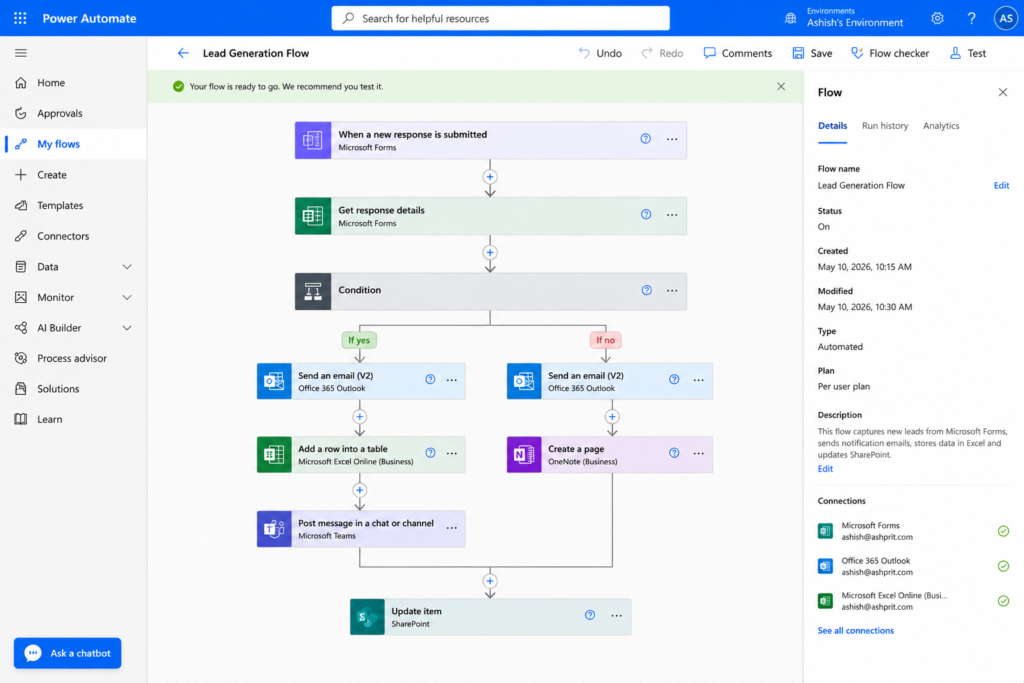
Microsoft Power Automate is Microsoft’s enterprise automation platform designed for organizations already using Microsoft 365, Dynamics 365, Azure, and the Power Platform. It helps automate approvals, document processing, desktop tasks, cloud workflows, and AI-powered business processes.
For enterprises invested in Microsoft’s ecosystem, Power Automate is one of the Best AI Automation Tools 2026 due to its security, governance, and deep integration capabilities.
Key Features
- Cloud Flows
- Desktop Automation
- AI Builder
- Approval Workflows
- Document Processing
- Microsoft 365 Integration
- Power Platform Integration
- Enterprise Security
Pros
- Excellent Microsoft integration
- Enterprise-grade security
- Powerful automation capabilities
- AI document processing
Cons
- Best suited to Microsoft environments
- Advanced licensing can be complex
Best For
- Enterprises
- Large Organizations
- Microsoft 365 Users
- Corporate IT Teams
5. Gumloop
Overview
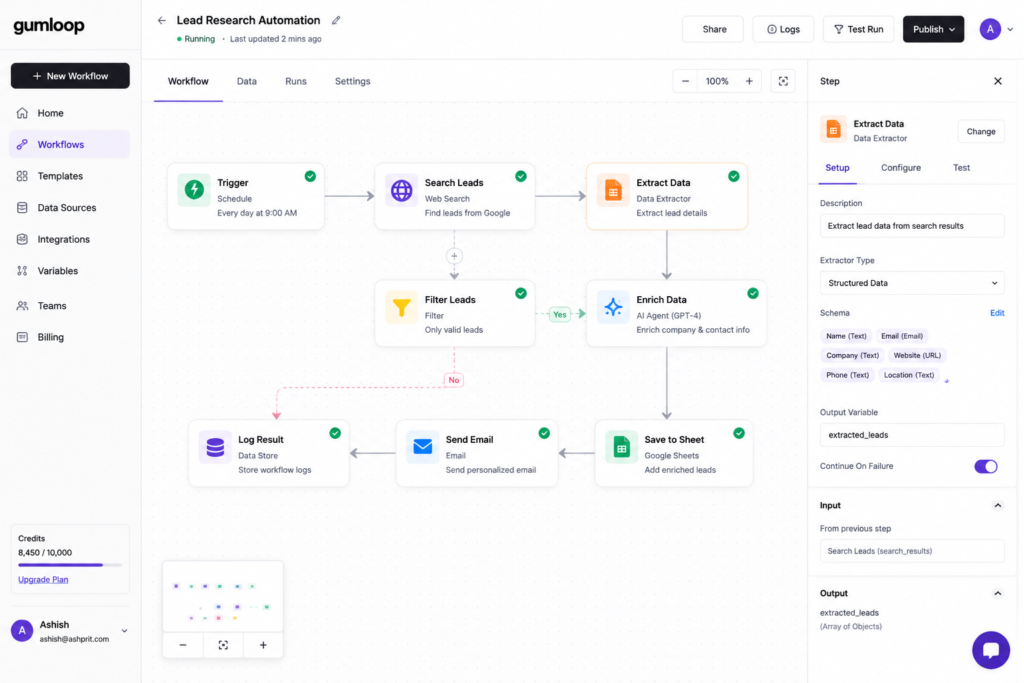
Gumloop is a modern no-code AI automation platform designed for users who want to build intelligent workflows without writing code. Unlike traditional automation tools, Gumloop focuses on AI-first workflows, allowing users to connect large language models (LLMs), scrape websites, summarize content, process documents, and automate repetitive tasks using a visual interface.
Among the Best AI Automation Tools 2026, Gumloop is gaining popularity because it enables businesses to create AI-powered workflows in minutes instead of hours.
Why Choose Gumloop?
Gumloop is ideal for:
- AI research automation
- Lead generation
- Document summarization
- Web scraping
- Sales prospecting
- AI-powered email workflows
- Data enrichment
Key Features
- Drag-and-drop workflow builder
- AI Agents
- Web scraping
- PDF processing
- Email automation
- AI summarization
- Google Sheets integration
- CRM automation
- API support
- Multi-step workflows
Real-World Use Cases
Businesses use Gumloop to:
- Collect leads from websites
- Summarize research reports
- Generate outreach emails
- Extract structured data from PDFs
- Monitor competitor websites
- Build AI-powered business assistants
Pros
✔ Beginner friendly
✔ AI-first automation
✔ Fast workflow creation
✔ Powerful document processing
✔ Excellent web scraping
Cons
✖ Smaller integration library than Zapier
✖ Premium plans required for heavy usage
Pricing
- Free
- Starter
- Pro
- Business
Best For
- Sales Teams
- Marketing Agencies
- Researchers
- Startups
Overall Rating
| Category | Rating |
|---|---|
| Ease of Use | ⭐⭐⭐⭐⭐ |
| AI Features | ⭐⭐⭐⭐⭐ |
| Integrations | ⭐⭐⭐⭐☆ |
| Speed | ⭐⭐⭐⭐⭐ |
| Value | ⭐⭐⭐⭐⭐ |
6. Lindy
Overview
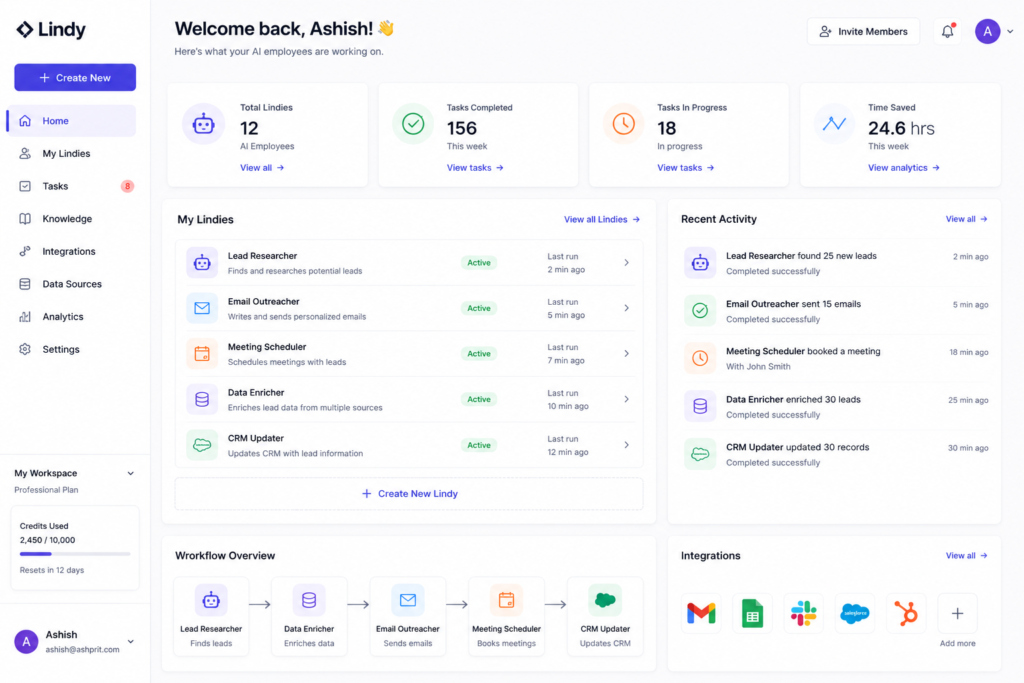
Lindy is an AI employee platform that helps automate business operations using conversational AI agents. Instead of creating simple workflows, Lindy allows users to deploy AI assistants capable of scheduling meetings, responding to emails, handling customer requests, and completing repetitive office tasks.
Its focus on intelligent task execution makes it one of the Best AI Automation Tools 2026 for small businesses and professionals.
Key Features
- AI Employees
- Email Automation
- Calendar Management
- CRM Integration
- Customer Support
- Meeting Scheduling
- AI Phone Assistant
- Workflow Builder
Pros
✔ Extremely easy to use
✔ Excellent AI assistant capabilities
✔ Strong productivity features
✔ Great for small businesses
Cons
✖ Limited customization compared to developer-focused tools
Best For
- Founders
- Small Businesses
- Virtual Assistants
- Sales Teams
7. Flowise
Overview
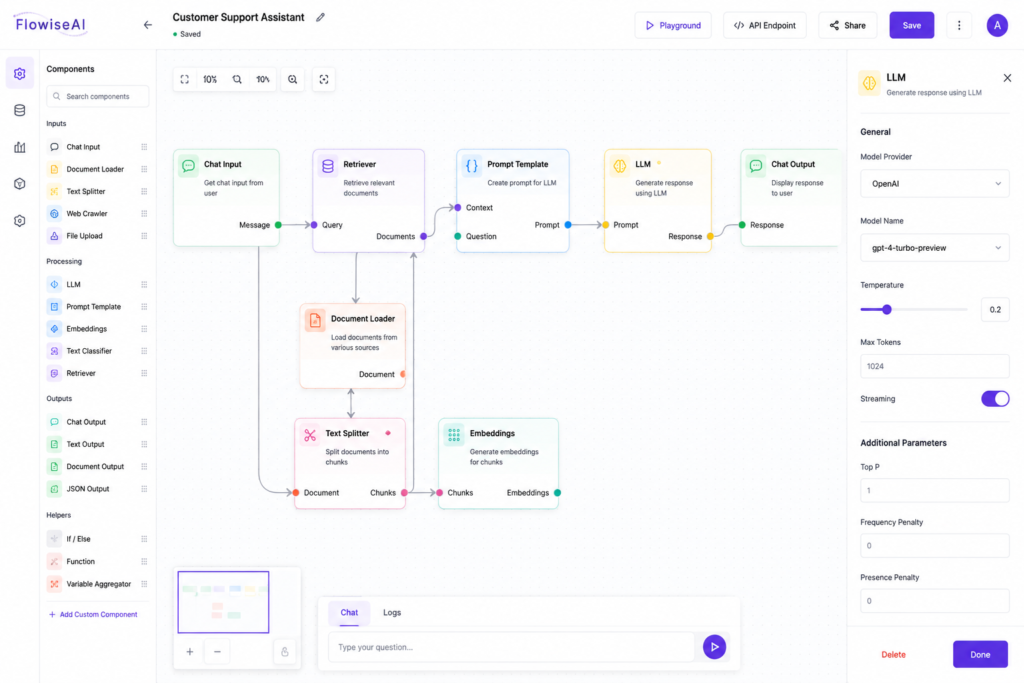
Flowise is an open-source visual builder for creating AI applications using LangChain components. It allows developers to build Retrieval-Augmented Generation (RAG) pipelines, AI chatbots, document search systems, and intelligent assistants through a drag-and-drop interface.
For developers working with LLMs, Flowise is one of the Best AI Automation Tools 2026 because it combines flexibility with an easy visual experience.
Key Features
- Visual AI workflow builder
- LangChain integration
- RAG support
- Vector databases
- Document processing
- API deployment
- Chatbot builder
Pros
✔ Open-source
✔ Excellent developer ecosystem
✔ Easy experimentation
✔ Supports multiple AI models
Cons
✖ Better suited for technical users
Best For
- Developers
- AI Engineers
- Startups
- SaaS Companies
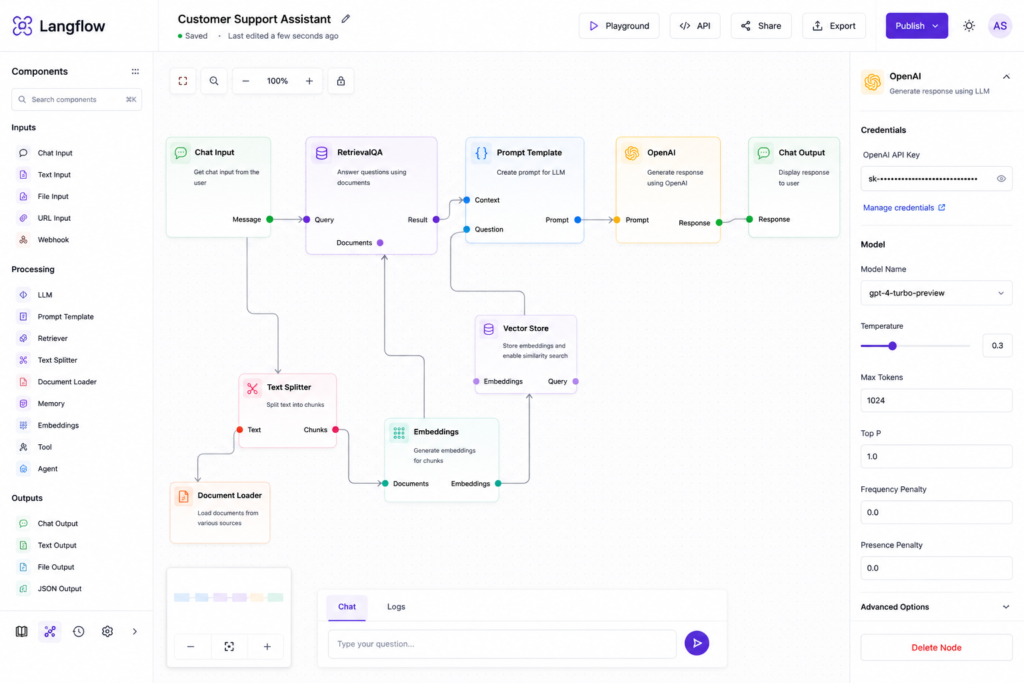
8. Langflow
Overview
Langflow is another powerful visual framework for building AI applications. It enables developers to design complex LLM workflows, AI agents, document retrieval systems, and conversational applications with minimal coding.
Its modular design simplifies experimentation while supporting advanced AI architectures.
Key Features
- Visual workflow builder
- LLM orchestration
- LangChain integration
- Prompt engineering
- Document retrieval
- Agent creation
- API deployment
Pros
✔ Excellent for experimentation
✔ Open-source
✔ Modern interface
✔ Active community
Cons
✖ Requires AI development knowledge
Best For
- AI Developers
- Researchers
- Enterprises
9. Microsoft AutoGen
Overview
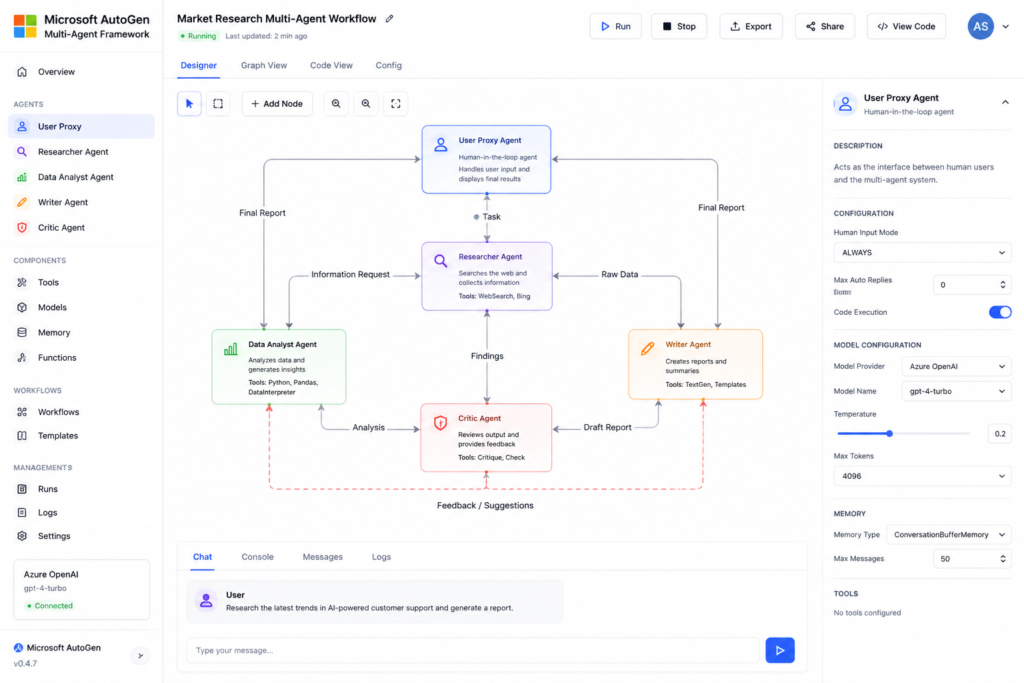
Microsoft AutoGen is an open-source framework for building multi-agent AI systems. Rather than relying on a single AI model, AutoGen allows multiple specialized agents to collaborate, review work, exchange information, and complete complex tasks together.
This makes it particularly valuable for enterprise automation, software development, and research workflows.
Among the Best AI Automation Tools 2026, AutoGen stands out for enabling sophisticated AI agent collaboration.
Key Features
- Multi-Agent Systems
- LLM Collaboration
- Task Delegation
- Python Framework
- API Integration
- Human-in-the-Loop
- Tool Calling
Pros
✔ Enterprise-ready
✔ Powerful AI agent collaboration
✔ Highly customizable
✔ Open-source
Cons
✖ Requires programming knowledge
Best For
- AI Developers
- Enterprise Teams
- Research Labs
10. CrewAI
Overview
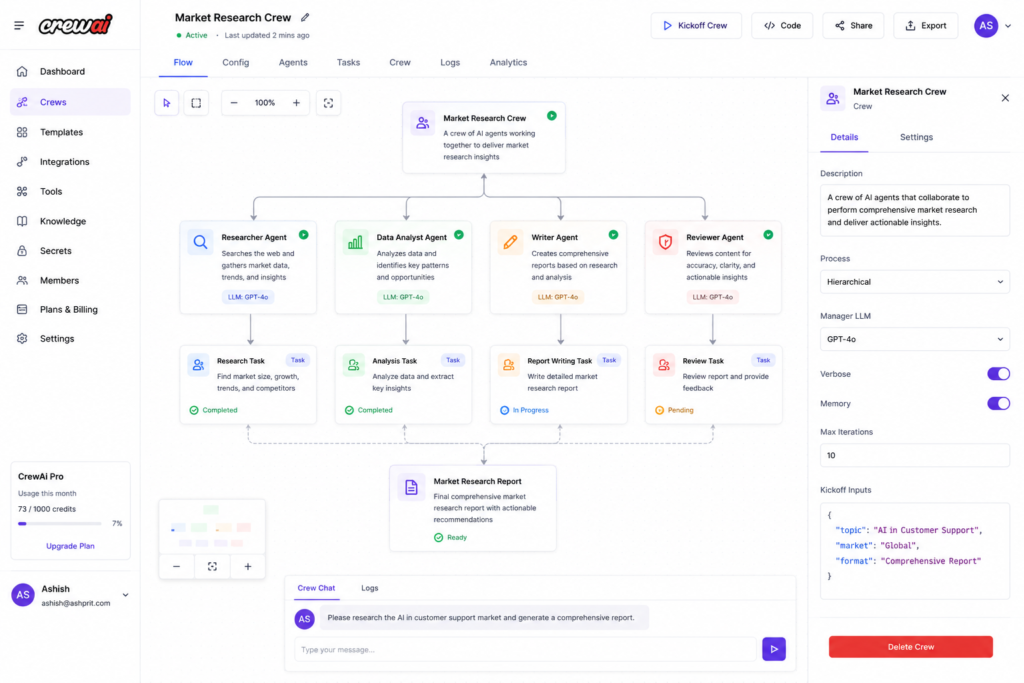
CrewAI is one of the most popular frameworks for creating collaborative AI agents. It allows users to assign different roles—such as researcher, writer, reviewer, or analyst—to individual AI agents and coordinate them as a team.
This collaborative approach makes CrewAI ideal for automating content creation, business research, customer support, and strategic planning.
Key Features
- Multi-Agent Collaboration
- Role-Based Agents
- Task Management
- Memory
- Tool Integration
- Sequential Workflows
- Autonomous Planning
Pros
✔ Excellent for agent collaboration
✔ Easy architecture
✔ Active community
✔ Open-source
Cons
✖ Requires Python knowledge
Best For
- AI Engineers
- Developers
- Startups
- Automation Enthusiasts
11. Claude Projects
Overview
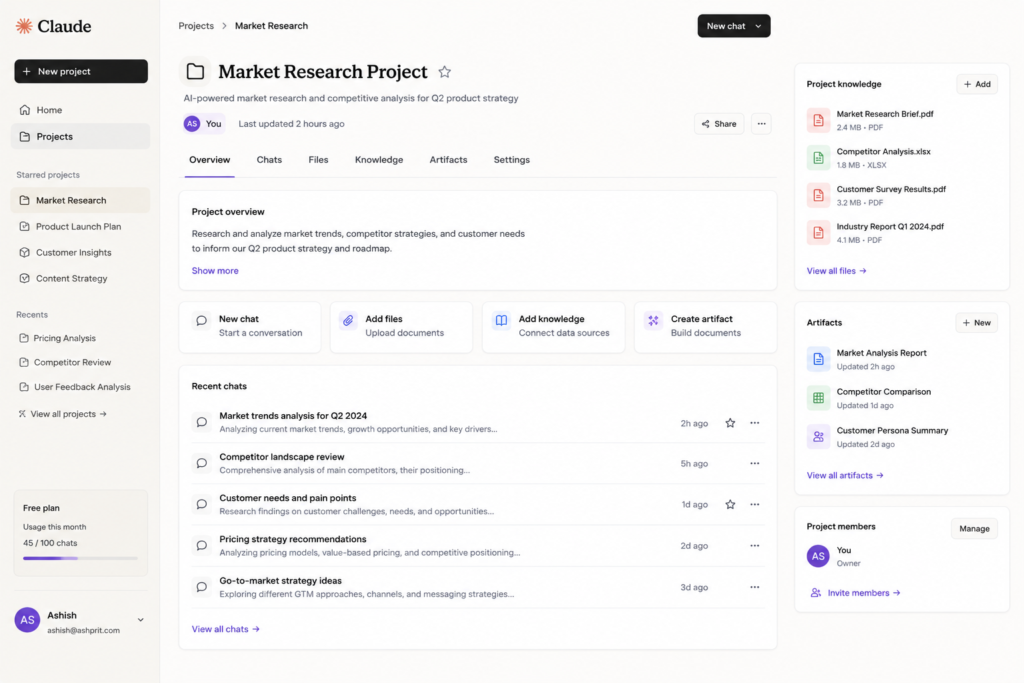
Claude Projects helps users organize long-term AI work by grouping documents, instructions, and conversations into dedicated workspaces. This improves consistency when building knowledge bases, drafting reports, planning projects, or managing recurring workflows.
It is particularly useful for teams handling large amounts of documentation and research.
Key Features
- Project Workspaces
- Knowledge Management
- Long Context
- AI Writing
- Document Analysis
- Team Collaboration
Pros
✔ Excellent document handling
✔ Strong reasoning
✔ Great long-context support
Cons
✖ Automation depends on connected workflows
Best For
- Researchers
- Writers
- Consultants
- Business Teams
12. ChatGPT Tasks
Overview
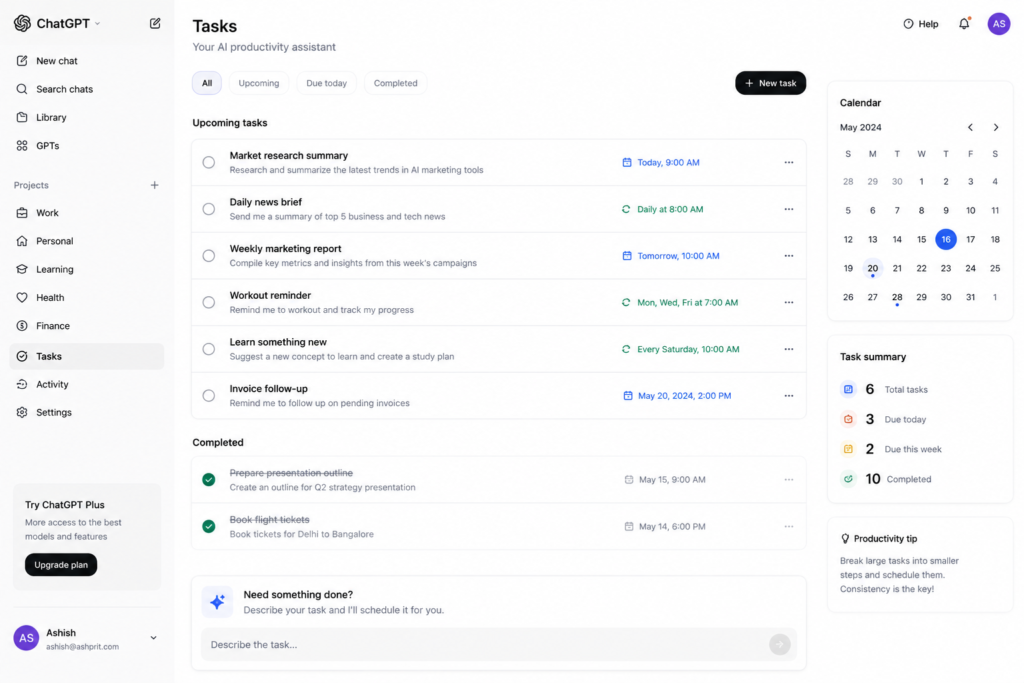
ChatGPT Tasks extends conversational AI by helping users organize recurring work, generate structured outputs, brainstorm ideas, and manage everyday productivity. When combined with automation platforms, it becomes a powerful assistant for planning and executing workflows.
It is especially useful for drafting emails, creating summaries, preparing reports, and supporting day-to-day knowledge work.
Key Features
- Task Planning
- AI Writing
- Summarization
- Brainstorming
- Workflow Assistance
- Knowledge Retrieval
- Document Drafting
Pros
✔ Easy to use
✔ Excellent reasoning
✔ Flexible across many tasks
Cons
✖ Full automation often requires integration with external tools
Best For
- Students
- Professionals
- Content Creators
- Business Users
Detailed Comparison Table
| Tool | AI Agents | No-Code | Open Source | Enterprise | Overall |
|---|---|---|---|---|---|
| Gumloop | ⭐⭐⭐⭐⭐ | ⭐⭐⭐⭐⭐ | ❌ | ⭐⭐⭐⭐☆ | ⭐⭐⭐⭐⭐ |
| Lindy | ⭐⭐⭐⭐⭐ | ⭐⭐⭐⭐⭐ | ❌ | ⭐⭐⭐⭐☆ | ⭐⭐⭐⭐☆ |
| Flowise | ⭐⭐⭐⭐⭐ | ⭐⭐⭐⭐☆ | ✅ | ⭐⭐⭐⭐☆ | ⭐⭐⭐⭐⭐ |
| Langflow | ⭐⭐⭐⭐⭐ | ⭐⭐⭐⭐☆ | ✅ | ⭐⭐⭐⭐⭐ | ⭐⭐⭐⭐⭐ |
| Microsoft AutoGen | ⭐⭐⭐⭐⭐ | ⭐⭐☆☆☆ | ✅ | ⭐⭐⭐⭐⭐ | ⭐⭐⭐⭐⭐ |
| CrewAI | ⭐⭐⭐⭐⭐ | ⭐⭐☆☆☆ | ✅ | ⭐⭐⭐⭐⭐ | ⭐⭐⭐⭐⭐ |
| Claude Projects | ⭐⭐⭐⭐☆ | ⭐⭐⭐⭐⭐ | ❌ | ⭐⭐⭐⭐☆ | ⭐⭐⭐⭐☆ |
| ChatGPT Tasks | ⭐⭐⭐⭐☆ | ⭐⭐⭐⭐⭐ | ❌ | ⭐⭐⭐⭐☆ | ⭐⭐⭐⭐☆ |
Free vs Paid AI Automation Tools
Many users wonder whether they should start with a free automation platform or invest in a paid plan. The right choice depends on your workflow, team size, and automation requirements.
Free AI Automation Tools
Free plans are ideal for:
- Students
- Bloggers
- Freelancers
- Small businesses
- Learning automation
- Personal productivity
Popular free options include:
- n8n (Self-hosted)
- Make (Free Plan)
- Zapier (Limited Free Plan)
- Flowise
- Langflow
- CrewAI
- Microsoft AutoGen
Advantages
- No upfront cost
- Great for learning
- Build simple workflows
- Test AI agents
- Personal projects
Limitations
- Task limits
- Limited integrations
- Fewer premium AI models
- Restricted team collaboration
Paid AI Automation Tools
Paid plans are suitable for:
- Agencies
- Growing businesses
- Enterprises
- Marketing teams
- Sales operations
- Customer support
Benefits include:
- More workflow executions
- Premium integrations
- Team collaboration
- Enterprise security
- Priority support
- Advanced AI features
Best AI Automation Tool by Use Case
| Requirement | Recommended Tool |
|---|---|
| Overall Best | n8n |
| Beginners | Make |
| Business Automation | Zapier |
| Enterprise | Microsoft Power Automate |
| AI Research | Gumloop |
| AI Employees | Lindy |
| AI Development | Flowise |
| LLM Workflows | Langflow |
| Multi-Agent Systems | Microsoft AutoGen |
| Collaborative AI Agents | CrewAI |
| Document Intelligence | Claude Projects |
| Personal Productivity | ChatGPT Tasks |
Common AI Automation Mistakes
Even the Best AI Automation Tools 2026 cannot compensate for poor workflow design.
Automating Everything
Not every task should be automated. Focus on repetitive, rule-based processes where automation adds value.
Ignoring Error Handling
Every workflow should account for failures such as API outages, invalid data, or missing inputs. Add notifications and fallback steps where possible.
Poor Documentation
Document workflows with clear names, descriptions, and comments. This makes future updates and team collaboration much easier.
Weak Security Practices
Protect sensitive data by using secure credentials, limiting permissions, and reviewing access regularly.
Skipping Testing
Always validate workflows using sample data before deploying them in production.
AI Automation Best Practices
To build reliable workflows:
- Begin with one small process.
- Use descriptive workflow names.
- Organize automation by department or project.
- Reuse templates where possible.
- Monitor workflow performance.
- Review logs regularly.
- Keep integrations updated.
- Add human approval steps for critical business actions.
Security & Compliance Tips
Automation often involves sensitive business information.
Follow these practices:
- Store API keys securely.
- Enable multi-factor authentication.
- Limit user permissions.
- Encrypt sensitive data where applicable.
- Maintain audit logs.
- Comply with privacy regulations relevant to your business.
Future of AI Automation
AI automation is evolving beyond simple trigger-based workflows.
Key trends include:
- Autonomous AI agents
- Multi-agent collaboration
- Natural language workflow creation
- AI-powered decision support
- Voice-driven automation
- Predictive workflows
- Cross-platform orchestration
- Deeper enterprise integrations
Organizations adopting these technologies thoughtfully are likely to improve efficiency and reduce repetitive manual work.
Prompt Library
Here are some prompts you can use with AI assistants while building automation workflows.
Workflow Planning
Design an AI workflow to capture website leads, qualify them, update the CRM, and send personalized follow-up emails.
Email Automation
Create an automation workflow that summarizes unread emails every morning and categorizes them by priority.
Customer Support
Build an AI support workflow that classifies incoming tickets, drafts responses, and escalates urgent issues to a human agent.
Social Media
Design an automation that generates weekly LinkedIn posts from recently published blog articles and schedules them.
Reporting
Create an automated workflow that collects Google Analytics, Search Console, and CRM data into a weekly management report.
Frequently Asked Questions
Which is the best AI automation tool in 2026?
n8n, Make, Zapier, and Microsoft Power Automate are among the strongest choices, depending on your technical requirements and preferred ecosystem.
Which AI automation tool is best for beginners?
Make, Zapier, and ChatGPT Tasks are approachable options for users starting with automation.
Which AI automation platform is best for developers?
n8n, Flowise, Langflow, Microsoft AutoGen, and CrewAI provide extensive flexibility for developers building advanced workflows.
Is n8n better than Zapier?
n8n offers greater flexibility and self-hosting options, while Zapier is generally easier to learn and provides a very large library of cloud integrations.
Which platform is best for AI agents?
CrewAI, Microsoft AutoGen, Langflow, Flowise, and Gumloop all support AI agent workflows with different strengths.
Are AI automation tools secure?
Reputable platforms include security features, but organizations should still implement strong authentication, access controls, and regular monitoring.
Can AI automation replace employees?
Automation can reduce repetitive work and improve productivity, but human oversight remains important for decision-making, creativity, and complex problem-solving.
Do I need coding skills?
No-code platforms such as Make, Zapier, Lindy, and Gumloop are suitable for non-technical users, while tools like Flowise and CrewAI provide additional flexibility for developers.
Final Verdict
The Best AI Automation Tools 2026 enable businesses and individuals to automate repetitive tasks, integrate applications, and build intelligent workflows.
Each platform serves a different audience:
- n8n – Flexible open-source automation.
- Make – Visual workflow automation.
- Zapier – Business-friendly integrations.
- Microsoft Power Automate – Enterprise automation.
- Gumloop – AI-first workflow creation.
- Lindy – AI employees and office productivity.
- Flowise – Visual LLM application development.
- Langflow – Advanced AI orchestration.
- Microsoft AutoGen – Multi-agent collaboration.
- CrewAI – Role-based AI agent teams.
- Claude Projects – Knowledge organization.
- ChatGPT Tasks – Everyday productivity assistance.
Instead of relying on one platform, many organizations combine multiple tools—for example, n8n for backend integrations, Make for marketing workflows, and ChatGPT Tasks or Claude Projects for knowledge work.
Key Takeaways
- Start with a small automation project.
- Choose tools based on your technical skills and business needs.
- Test workflows thoroughly before deployment.
- Prioritize security and documentation.
- Review and optimize automations regularly.